

Introduction
The internet has become an important part of our daily lives. We use it to communicate with friends and family, make online payments, shop, study, manage our work, and access important information. However, as internet usage continues to grow, online security risks are also becoming more complicated. Cybercriminals are constantly developing new methods to steal personal information, access accounts, and trick people into sharing sensitive data.
In my opinion, learning about the latest cybersecurity updates is essential for every internet user. We do not need to be technology experts to protect ourselves online. By understanding common threats and following basic security practices, we can reduce many risks and enjoy a safer digital experience.
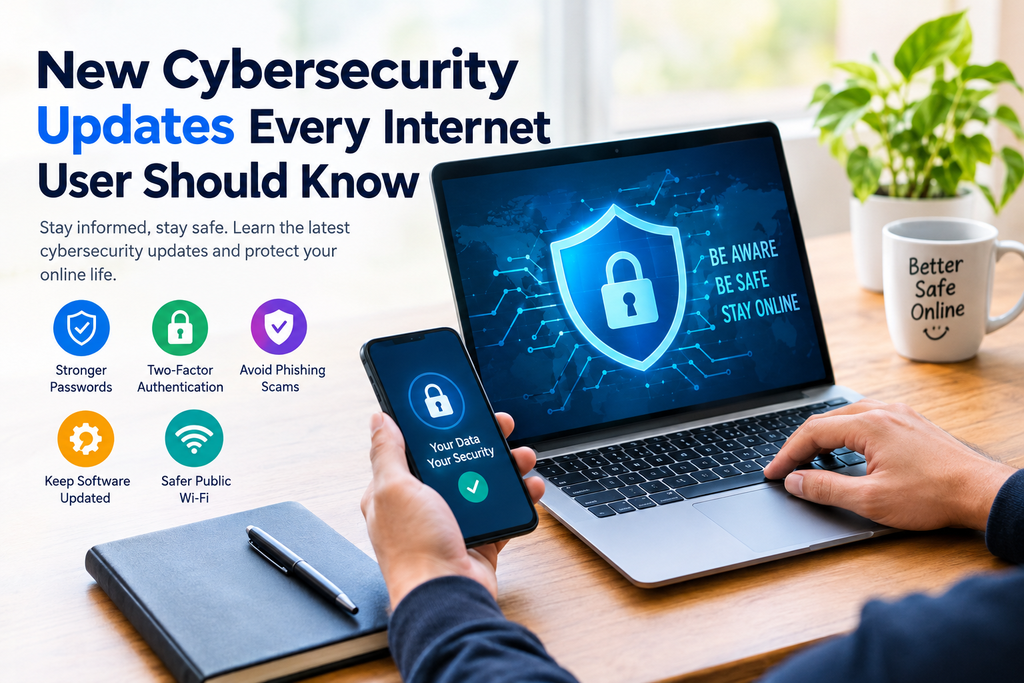
In this article, I will explain the important cybersecurity updates every internet user should know, including stronger passwords, artificial intelligence scams, phishing attacks, software updates, and practical ways to protect personal information online.
What Are the Latest Cybersecurity Updates?
Cybersecurity updates include new security features, software patches, privacy improvements, and recommendations designed to protect devices, accounts, networks, and personal information from online threats.
Technology companies regularly improve the security of operating systems, browsers, applications, and online services. These improvements can help prevent attackers from exploiting known weaknesses.
Some of the most important cybersecurity developments include passkeys, multifactor authentication, artificial intelligence powered threat detection, improved account recovery options, and better protection against suspicious websites.
For ordinary internet users, the most important step is to understand which updates are relevant to their devices and online accounts. Checking official announcements and installing legitimate security updates can help prevent avoidable problems.
1. Artificial Intelligence Is Changing Cybersecurity
Artificial intelligence is becoming an important part of modern cybersecurity. Security companies use AI based systems to identify unusual activities, detect suspicious files, and recognize potential attacks more quickly.
At the same time, cybercriminals can misuse artificial intelligence to create convincing scam messages, fake websites, and realistic impersonations. Some scams may contain fewer spelling mistakes than traditional fraudulent messages, making them harder to identify.
For example, a person might receive a message that appears to come from a bank, delivery company, or family member. The message may ask for an urgent payment or verification code.
I believe internet users should avoid trusting a message simply because it looks professional. Always verify the sender through an official website, known phone number, or trusted application before sharing information or transferring money.
AI can improve online protection, but careful decision making remains essential.
2. Passkeys Are Becoming an Alternative to Passwords
Traditional passwords remain widely used, but they can be stolen through phishing, data breaches, and password reuse. Passkeys provide an alternative that can make account access more secure and convenient.
A passkey uses cryptographic technology to authenticate a user. Depending on the device and service, it may work with a fingerprint, facial recognition, a device PIN, or another supported authentication method.
One important advantage is that passkeys are designed to resist many common phishing attacks. The authentication process is connected to the legitimate website or service rather than relying on a password that can easily be copied.
Internet users should check whether their email accounts, social media platforms, and other important services support passkeys.
However, passkeys do not eliminate every security risk. Users should still protect their devices, keep account recovery information updated, and enable additional security options when available.
3. Multifactor Authentication Provides Extra Protection
Multifactor authentication, often called MFA or two factor authentication, adds another verification step when someone signs in to an account.
Instead of relying only on a password, the service may request an authentication app code, a security key, or another approved verification method.
This extra layer can make it more difficult for attackers to access an account using a stolen password alone.
For better protection, consider enabling multifactor authentication on your primary email account, banking services, cloud storage, and social media profiles.
Where available, a hardware security key or phishing resistant authentication method is generally preferable for high value accounts. An authenticator app can also be a useful option. SMS verification is better than having no additional protection, although it can be vulnerable to certain attacks.
Never share a verification code with someone who contacts you unexpectedly. Legitimate support staff should not need you to disclose your one time authentication code in an ordinary support conversation.
4. Phishing Scams Are Becoming More Convincing
Phishing is a technique in which criminals pretend to represent a trusted organization to steal passwords, payment information, or other sensitive data.
These scams can arrive through email, text messages, social media, phone calls, and messaging applications.
A fraudulent message might claim that your bank account will be blocked, your parcel cannot be delivered, or your social media account requires immediate verification.
Some attackers also create fake login pages that look almost identical to genuine websites.
To reduce phishing risks, check the full website address before entering your login details. Avoid opening unexpected attachments and do not click suspicious links simply because a message appears urgent.
If a message claims to come from a bank or online service, open the official application yourself or type its known website address into your browser.
A few seconds of verification can help prevent significant financial and privacy problems.
5. Regular Software Updates Are More Important Than Ever
Software updates are among the simplest ways to improve cybersecurity. Developers release updates to fix bugs, address security weaknesses, and improve the reliability of their products.
An outdated operating system, browser, or application may contain vulnerabilities that attackers already know how to exploit.
I recommend enabling automatic security updates whenever practical. Regularly check your phone, computer, browser, router, and commonly used applications for available updates.
Download updates through official settings, trusted app stores, or the manufacturer’s legitimate website. Avoid installing unknown software that promises to improve performance or remove viruses.
If a device has reached the end of its security support period, consider replacing it or switching to a supported operating system where possible.
Keeping software current does not guarantee complete protection, but it reduces exposure to known security problems.
6. Public Wi Fi Requires Extra Caution
Public Wi Fi is convenient in airports, hotels, cafes, libraries, and shopping centers. However, users should be careful when connecting to unfamiliar networks.
Some criminals create fake Wi Fi hotspots with names that resemble legitimate networks. Others may attempt to intercept poorly protected communications or redirect users to fraudulent websites.
Modern websites using HTTPS provide important protection for data transmitted between a browser and a website, but users should not assume every public network is trustworthy.
When using public Wi Fi, avoid ignoring browser security warnings or installing unexpected certificates and applications. Use a reputable VPN when appropriate, particularly if you need an additional layer of network privacy.
For sensitive financial transactions, using your trusted mobile data connection may be a simpler choice.
Always turn off automatic connection to unknown Wi Fi networks when it is unnecessary.
7. Smartphone Security Updates Should Not Be Ignored
Smartphones contain personal photographs, messages, banking applications, saved passwords, and location information. This makes mobile security especially important.
Android and iPhone users should regularly check for operating system and security updates. They should also install application updates and review the permissions granted to installed apps.
For example, a basic calculator app generally should not need unrestricted access to your contacts, microphone, or location.
Review app permissions periodically and remove applications you no longer use. Download apps from official stores and check the developer information before installation.
Use a strong screen lock and enable the device’s built in security features. If your phone supports remote locating and erasing, configure these features in advance.
These simple steps can help protect personal information if a device is lost, stolen, or targeted by malicious software.
8. Ransomware and Data Backup Protection
Ransomware is a type of malicious software that can encrypt files or disrupt access to systems. Attackers may demand payment to restore access, and some also threaten to publish stolen information.
Individuals and small businesses can reduce the potential damage by maintaining reliable backups.
Keep important photographs, documents, educational files, and work records in a secure backup location. Depending on your needs, this may include encrypted external storage or a trusted cloud backup service.
A useful approach is to maintain more than one copy of important information and keep at least one backup isolated from your everyday device.
Remember that synchronized storage is not always the same as a complete backup. If files are deleted or encrypted, those changes may sometimes synchronize across devices.
Test your backups occasionally so you know that the files can actually be restored when needed.
9. Social Media Privacy Settings Need Regular Review
Social media platforms make it easy to share photographs, opinions, personal updates, and everyday activities. However, sharing too much information can create privacy and security risks.
Cybercriminals may use publicly available information to create convincing impersonation attempts or guess answers to security questions.
Review the privacy settings on your social media accounts. Limit the personal information visible to strangers and think carefully before sharing your phone number, home address, travel plans, or sensitive documents.
Be cautious when accepting friend requests from unfamiliar accounts, even if the profile uses a familiar photograph.
If someone you know requests money or sensitive information through a new account, confirm the request through another communication method.
Protecting privacy does not mean avoiding social media. It means making informed decisions about what you share and who can access it.
10. Email Security Is Essential for Every Internet User
Email accounts often serve as the recovery method for other online services. If someone gains access to your primary email account, they may attempt to reset passwords for connected accounts.
For this reason, email security deserves special attention.
Use a unique password or passkey and enable multifactor authentication. Review recovery phone numbers, recovery email addresses, and active login sessions.
Remove unfamiliar devices or sessions and investigate security alerts from your email provider.
Be careful with unexpected attachments, especially files that request permission to run programs or enable macros. Never enter your email password on a page reached through an unverified message.
If you believe your account has been compromised, change your password from a trusted device, review recovery settings, sign out unfamiliar sessions, and follow the provider’s official account recovery guidance.
A secure email account can help protect many other parts of your digital life.
11. Online Payment Security and Digital Banking
Online banking and digital payments have made financial transactions more convenient. However, scammers continue to use fake payment requests, impersonation calls, fraudulent investment offers, and counterfeit shopping websites.
Always confirm the recipient’s details before sending money. Never disclose your banking PIN, password, or one time verification code to another person.
Install banking applications only through official sources and keep transaction notifications enabled where available.
When shopping online, check the website address, payment methods, return policy, and contact information. Be suspicious of offers that appear unrealistically cheap or demand immediate payment through unusual methods.
If you notice an unfamiliar transaction, contact your bank or payment provider through an official channel as soon as possible.
These precautions are especially useful for people who regularly use mobile wallets and online banking services.
12. What Small Businesses and Home Users Should Know
Cybersecurity is not only a concern for large companies. Small businesses, freelancers, students, and home users can also become targets.
A compromised email account or infected laptop can cause lost files, financial damage, and interrupted work.
Small businesses should use individual employee accounts, restrict unnecessary access, protect customer information, and maintain tested backups. Employees should receive basic training on phishing and safe handling of sensitive information.
Home users should secure their Wi Fi router by changing default administrator credentials, using modern supported encryption, and installing router firmware updates when available.
It is also sensible to remove applications and services that are no longer required.
Good cybersecurity habits do not always require expensive tools. Many important protections are already available through operating systems, email providers, and reputable online services.
Simple Cybersecurity Checklist for Everyday Users
Here are practical steps I recommend following regularly:
- Install operating system and application security updates.
- Use unique passwords or passkeys for important accounts.
- Enable multifactor authentication wherever possible.
- Avoid clicking suspicious links and attachments.
- Review privacy settings on social media accounts.
- Check application permissions on smartphones.
- Secure home Wi Fi and router settings.
- Back up important documents and photographs.
- Verify unexpected payment requests independently.
- Review account activity and security alerts.
- Use official websites and trusted app stores.
- Learn how to report scams and recover compromised accounts.
Following this checklist consistently can improve your online safety without making everyday internet use unnecessarily complicated.
Frequently Asked Questions
What is the most important cybersecurity update for internet users?
There is no single update that protects everyone from every threat. Keeping devices updated, using multifactor authentication, adopting passkeys where available, and avoiding phishing scams are all valuable security practices.
How can I protect my phone from hackers?
Keep your operating system updated, use a strong screen lock, install applications from trusted sources, review permissions, enable account security features, and avoid suspicious links.
Are free antivirus applications enough to protect a computer?
Protection depends on the software, its maintenance, and how the computer is used. Built in security tools can provide useful protection, but no antivirus product can prevent every scam or attack. Safe browsing and regular updates remain important.
How often should I check cybersecurity updates?
Enable automatic updates where possible and review important security notifications regularly. Install critical security patches promptly through official channels.
What should I do if my account is hacked?
Use the provider’s official recovery process from a trusted device. Change compromised passwords, secure your recovery information, sign out unfamiliar sessions, enable multifactor authentication, and contact your bank if financial information may be affected.
Conclusion
Cybersecurity is becoming increasingly important as more of our personal, educational, and professional activities move online. New technologies such as passkeys and AI powered threat detection can improve protection, but online scams and other digital threats continue to evolve.
In my view, the best approach is to combine modern security features with sensible everyday habits. Keep software updated, protect your accounts, verify suspicious messages, maintain backups, and think carefully before sharing personal information.
You do not need advanced technical knowledge to make meaningful improvements to your online security. Start with the basic steps explained in this article and gradually strengthen your protection.
By staying informed about cybersecurity updates and following reliable security practices, every internet user can take greater control of their digital privacy and reduce the risk of common online threats.


