

Introduction
Mobile phones have become an important part of our daily lives. We use them for communication, online shopping, banking, education, entertainment, and business activities. As mobile technology continues to improve, smartphone companies regularly release software updates to improve device performance, fix technical problems, introduce new features, and strengthen security. For this reason, I believe that knowing how to check official mobile software update news is an important habit for every smartphone user.
Many people hear about new Android versions, iOS updates, or smartphone features through social media and online technology websites. However, not every update announcement shared online is accurate. Some websites publish rumors before an official announcement, while others share misleading information to attract visitors. Checking reliable sources helps users understand which updates are officially available and whether their devices are eligible.
In this guide, I will explain how to check official mobile software update news, identify trusted sources, verify update information, and keep a smartphone updated safely.
Why Official Mobile Software Update News Matters
In my opinion, staying informed about mobile software updates is useful for both new and experienced smartphone users. Software updates are not only about changing the appearance of a phone. They can also address important security issues, improve system stability, and fix problems that affect everyday use.
For example, a manufacturer may release an update to correct battery drain, improve camera performance, or fix an issue that causes applications to crash. Security updates can also help protect devices against known vulnerabilities.
Official mobile software update news explains what changes are included in an update, which devices are supported, and when users may receive it. This information can help people avoid installing unofficial software or believing false claims about upcoming features.
However, every update is different. Some updates introduce major operating system changes, while others contain only security improvements or minor bug fixes. Reading the official release information helps users understand the actual purpose of each update.
1. Check Your Phone’s Built In Software Update Settings
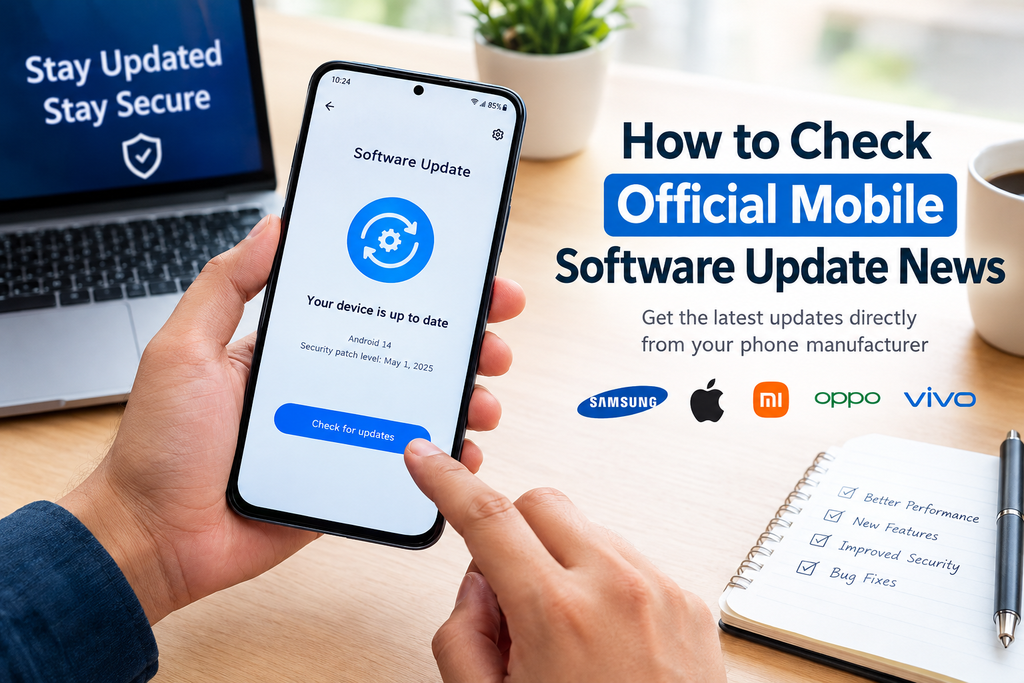
The easiest way to check for a mobile software update is through the settings menu on your smartphone. Both Android phones and iPhones provide built in options for checking available updates.
On most Android phones, open Settings and look for Software Update, System Update, or a similar option. The exact name depends on the manufacturer and Android version. Tap the available option and select Check for Updates if necessary.
On an iPhone, open Settings, select General, and then tap Software Update. Your device will check whether a compatible iOS update is available.
If an update is available, your phone will generally display information about the version and allow you to download and install it. If no update is available, your phone may report that the software is up to date.
It is important to understand that an update not appearing on your phone does not always mean that the manufacturer has not released it. Updates may be distributed gradually, or your particular model, region, carrier, or device configuration may not be eligible.
2. Visit the Official Website of Your Smartphone Manufacturer
Another reliable way to check official mobile software update news is to visit the website of your phone’s manufacturer. Smartphone brands often publish software announcements, support information, security notices, and device compatibility details on their official websites.
If you use a Samsung phone, look for official Samsung Newsroom announcements and Samsung Support information. Xiaomi users can check Xiaomi’s official website and support resources. OPPO, vivo, and other manufacturers also provide official websites where users can find product announcements and support information.
Apple users can consult Apple’s official Newsroom and its software update documentation.
When reading an announcement, check the publication date, supported device names, software version, and rollout information. These details help you determine whether the news applies to your phone.
I recommend visiting the official support page for your exact model instead of relying only on a general technology headline. A feature announced for a new flagship smartphone may not be available on an older or more affordable device.
3. Follow Official Android and iOS Announcements
Android and iOS updates often receive attention because they can introduce major improvements to the smartphone experience.
For Android news, Google’s official Android website is a useful source for information about Android releases, features, and security updates. Google also publishes Android security bulletins that explain important security fixes.
For iPhone users, Apple’s official website provides information about iOS releases, security updates, and compatible devices. Apple’s software update documentation can help users understand the changes included in different releases.
Following these sources is especially helpful when a new operating system version is announced. It allows users to distinguish between features included in the operating system itself and features that depend on a specific phone manufacturer.
For example, a new Android release may introduce system improvements, but individual manufacturers can modify the interface and determine when compatible devices receive their own software updates.
Therefore, I suggest checking both the operating system developer’s announcements and the smartphone manufacturer’s information.
4. Use Official Support Applications
Some smartphone manufacturers provide support applications that make it easier to find device information and receive assistance.
Depending on the brand and model, these applications may offer software support, device diagnostics, warranty details, troubleshooting guides, and update information.
Before using a support application, make sure it comes from the official manufacturer. Check the developer’s name in the Google Play Store or Apple’s App Store, and avoid downloading unknown applications that claim to provide special firmware updates.
An official support application can be particularly useful for people who are not comfortable searching through multiple websites. It may direct users to the correct support page or explain how to check for an update on a particular device.
Remember that available features vary by manufacturer, country, and phone model. Not every support application provides advance notification of every software release.
5. Understand the Difference Between Official News and Rumors
One of the most important skills when following mobile software update news is identifying the difference between confirmed information and speculation.
Technology websites and social media accounts sometimes publish reports about upcoming Android versions, iOS features, or smartphone updates before manufacturers confirm them. Some reports may be based on credible leaks, but they should not automatically be treated as official announcements.
When I read a claim about a new update, I prefer to look for confirmation from the manufacturer or operating system developer. If the original source cannot be found, it is better to treat the information cautiously.
Pay attention to the language used in an article. Words such as expected, rumored, reportedly, and possibly usually indicate that the information has not been fully confirmed.
Also be careful with headlines promising that every smartphone will receive a new feature. Software compatibility depends on hardware, manufacturer support policies, and other technical requirements.
A trustworthy update article should explain what is confirmed, what remains uncertain, and which devices are expected to be supported.
6. Check Whether Your Phone Is Eligible for an Update
Not every smartphone receives every software update. Manufacturers determine device eligibility according to factors such as the phone model, hardware capabilities, software support policy, and regional release schedule.
Before expecting a new update, identify your exact device model. You can usually find this information in the About Phone or About Device section of Settings. On an iPhone, check Settings, General, and About.
Next, visit the manufacturer’s official support website and look for information about your model. Some companies publish update schedules or lists of supported devices, although the level of detail varies.
You should also check the manufacturer’s software support policy. Some devices receive several major operating system upgrades, while others receive a different combination of system updates and security patches.
A phone that is several years old may still receive security updates even if it is no longer eligible for the newest operating system version. This is why I recommend checking both major version eligibility and ongoing security support.
7. Follow Official Security Update Information
Security updates deserve special attention because they can help protect your phone from known software vulnerabilities.
Google publishes Android security bulletins, while Apple publishes security information for its operating systems and devices. Smartphone manufacturers may also provide their own security announcements and update schedules.
When checking security update news, look at the security patch date displayed on your device. On many Android phones, this information is available in the About Phone or Software Information section. The exact location varies by manufacturer.
Keep in mind that a newer security bulletin does not necessarily mean the update is already available for every phone. Manufacturers and carriers may need time to prepare and distribute updates to different devices.
If your smartphone is no longer receiving security updates, review the manufacturer’s official support information to understand your options. Avoid assuming that an unofficial firmware download is a safe replacement for an official security update.
8. Read Update Release Notes Before Installing
Once an update becomes available, take a few minutes to read its release notes. These notes describe the main changes, fixes, and improvements included in the software.
For example, an update may improve system stability, fix a connectivity problem, strengthen security, or introduce new accessibility features. Release notes can also mention known issues or changes to certain applications.
Reading this information helps you decide when to install the update and whether you need to prepare for any changes.
Before installing a major update, I recommend backing up important photos, contacts, documents, and other personal information. Connect your phone to a reliable WiFi network, make sure the battery is sufficiently charged, and keep enough storage space available.
For an important device used for work or banking, you may also want to review official support information about application compatibility before installing a major operating system upgrade.
Avoid interrupting the installation once it begins, and follow the instructions displayed on your phone.
9. Avoid Fake Update Websites and Suspicious Downloads
Searching online for mobile software updates can lead to websites that imitate official support pages or advertise unofficial firmware files. These sources can create unnecessary security risks.
Never assume that a website is trustworthy simply because it uses professional graphics or displays a familiar smartphone brand name.
Check the website address carefully. Official announcements should come from the manufacturer’s genuine domain or a recognized official support platform.
Be cautious of websites asking you to install unknown applications, disable security settings, share passwords, or provide verification codes to receive an update. A legitimate software update should not require you to disclose your account password to a random website.
Avoid modified firmware unless you fully understand the risks and have a legitimate technical reason to use it. Installing unofficial software can cause compatibility problems, erase data, reduce security, or make a device unusable.
For ordinary users, the safest approach is to use the update function built into the phone or follow instructions published by the manufacturer.
10. Create a Simple Routine for Checking Update News
You do not need to spend hours every week searching for mobile software update news. A simple routine can help you stay informed without wasting time.
First, enable automatic update notifications where appropriate. Check your phone’s update settings periodically, especially if you use a device that does not notify you reliably.
Second, follow your smartphone manufacturer’s official news or support channels. You can also bookmark the relevant support page for your exact model.
Third, review major operating system announcements when a new version is released. Check the compatibility list before expecting the update on your phone.
Finally, review security update information regularly and install supported updates according to your device’s instructions.
This routine can help you avoid missing important improvements while reducing the chance of being misled by rumors or fake announcements.
Common Mistakes to Avoid When Checking Mobile Update News
Several common mistakes can make it difficult to understand whether an update is genuine or relevant.
One mistake is believing every social media post that announces a new software version. Always look for confirmation from an official source.
Another mistake is assuming that every phone from the same brand receives an update simultaneously. Rollouts can vary by model, region, and carrier.
Some users also confuse application updates with operating system updates. Updating an application through an official app store does not necessarily update the phone’s Android or iOS version.
Finally, avoid installing an update file simply because an online article says it is available. Confirm the file’s source, compatibility, and installation instructions through official documentation.
By avoiding these mistakes, you can make better decisions about your smartphone’s software and security.
Conclusion
Learning how to check official mobile software update news is a practical way to keep a smartphone secure, reliable, and up to date. The best approach is to check the software update settings on your phone, follow official manufacturer announcements, consult Android or Apple resources, and verify that each update supports your exact device.
In my view, smartphone users should focus on reliable information instead of rushing to install every new version mentioned online. Not all announcements apply to every device, and not every rumor becomes an official release.
By checking trusted sources, reading release notes, backing up important data, and avoiding suspicious downloads, you can manage mobile software updates more confidently.
Whether you use an Android smartphone or an iPhone, a few minutes spent checking official update news can help you understand new features, improve device security, and make better decisions about your phone’s long term use.
Frequently Asked Questions
How can I check if my phone has a software update?
Open your phone’s Settings menu and look for Software Update or System Update. On an iPhone, go to Settings, General, and Software Update.
Where can I find official mobile software update news?
Check your smartphone manufacturer’s official website, support pages, and verified announcement channels. Android users can also consult Google’s official Android resources, while iPhone users can visit Apple’s official website.
Why has my phone not received the latest update?
The update may not support your model, may be rolling out gradually, or may not yet be available in your region. Check the manufacturer’s official compatibility and rollout information.
Are software updates important for mobile security?
Yes. Supported software updates can fix known vulnerabilities, improve system stability, and sometimes address other technical problems. Installing updates from official sources is generally the safest approach.
Is it safe to download mobile updates from third party websites?
It is safer to use your phone’s built in update feature or follow the manufacturer’s official instructions. Unverified downloads may contain modified software or cause device problems.


